If you’ve already submitted your application, checking your SVMCM Scholarship Status 2026 regularly is the only way to know whether your documents cleared verification, your award was approved, and your payment is on its way. The Swami Vivekananda Merit-cum-Means Scholarship (SVMCM), run by the Higher Education Department of the Government of West Bengal, processes applications in stages, and a status that sits unchanged for weeks often means something needs your attention. This guide walks through exactly how to check your status, what each status label means, and what to do if something looks off.
What Is the SVMCM Scholarship Status Check?
The SVMCM status check is an online tracking feature built into the official applicant dashboard. Instead of waiting for an email or a phone call, students log into their account and see, in real time, where their application currently stands — submitted, under verification, approved, or rejected — along with payment details once an award is confirmed.
Because SVMCM is disbursed through Direct Benefit Transfer (DBT) straight to the student’s bank account, tracking the status closely matters even after approval. A pending bank verification or a mismatched account detail can delay a payment that’s otherwise fully approved.
Why Tracking Your Status Matters
It’s tempting to submit an application and simply wait for a message, but SVMCM’s verification process runs across two levels — your institution first, then the department — and neither side always sends a proactive notification when something needs your attention. A document that’s slightly out of date, a mismatched name spelling, or an unlinked bank account can sit quietly in the background for weeks if nobody’s watching for it.
Checking your status regularly gives you an early warning on exactly these kinds of issues, while there’s still time to fix them before a deadline for corrections passes. For a scholarship that many students rely on to cover tuition and semester fees, a few minutes of periodic checking is a small trade-off against a payment delay that could stretch into months.
Who Needs to Check Their SVMCM Status in 2026?
Two groups of applicants should be checking their status regularly this year:
- Fresh applicants who submitted a new SVMCM application for the current academic session and are waiting on institutional and departmental verification.
- Renewal applicants who received the scholarship in a previous year and have submitted their renewal, since renewal status is tracked separately and can lapse if a document isn’t re-uploaded on time.
If you’re unsure whether you fall into the eligible income and academic bracket in the first place, our guide on the SVMCM scholarship application process covers eligibility and first-time submission in more detail.
What You’ll Need Before You Check Your Status
Have these ready before you log in, so you’re not stuck at the login screen:
- Your registered Applicant ID (issued when you first created your SVMCM account)
- Your account password
- A registered mobile number or email, in case an OTP is required
- Your application/reference number, if you have one on hand from a previous confirmation
If you’ve forgotten your Applicant ID or password, don’t create a second account — that only complicates verification. Use the account recovery option on the login page instead.
How to Check SVMCM Scholarship Status 2026 (Step-by-Step)
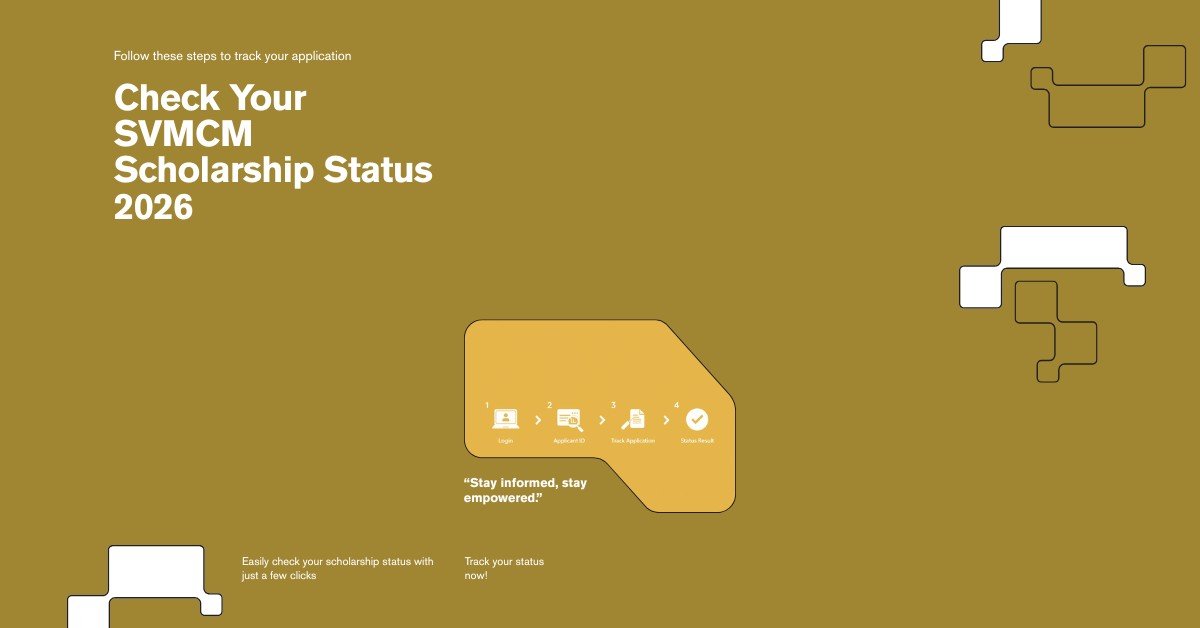
Checking your status takes just a few minutes once you’re logged in:
- Visit the official SVMCM portal and select “Applicant Login.”
- Choose the correct academic year for your application before logging in — selecting the wrong session is one of the most common reasons students see no data at all.
- Enter your Applicant ID and password, and complete the OTP verification if prompted.
- Open your dashboard and select “Track Application” or “Application Status.”
- Review your current status, which typically covers submission status, verification status, approval status, and — once approved — payment status.
- Note any flagged issues, such as a missing document or a bank detail mismatch, and act on them immediately rather than waiting for a follow-up notice.
If you’d rather cross-check the process against a dedicated walkthrough, this SVMCM Scholarship Status Check guide breaks down the same steps with additional screenshots and troubleshooting tips.
Understanding the Different SVMCM Status Types
Once you’re in your dashboard, your application will show one of several status labels. Here’s what each generally means:
- Application Submitted: Your form has been received but hasn’t started formal verification yet.
- Under Review / Forwarded: Your institution or the department is actively verifying your submitted documents and details.
- Approved: Your application has cleared verification and is queued for disbursement.
- Rejected: Your application did not meet a requirement, and a reason should be listed alongside the status.
- Payment Processed / Disbursed: Funds have been released via DBT to your registered bank account.
Because these stages are sequential, a status that hasn’t moved for several weeks is worth following up on rather than assuming it will resolve itself.
What to Do If Your Status Shows Rejected or Stuck
A rejected or long-pending status isn’t necessarily the end of the road, but it does require action:
- Read the rejection reason carefully — most rejections list a specific missing document, income mismatch, or eligibility issue rather than a generic denial.
- Check your uploaded documents for outdated marksheets, unclear scans, or mismatched personal details between your application and your ID proof.
- Contact your institution’s nodal officer first, since many verification issues are resolved at the college or school level before they reach the department.
- Reach out to the SVMCM helpdesk if the issue isn’t resolved at the institutional level, and keep your Applicant ID ready when you do.
- Reapply in the next cycle if your current application is rejected for an eligibility reason that can’t be corrected mid-cycle.
SVMCM Payment Status and Disbursement Timelines
Once your application shows as approved, the scholarship amount is transferred directly to your bank account through DBT. Processing after approval commonly takes several weeks, so an “Approved” status doesn’t always mean funds have landed yet — check the payment sub-status specifically rather than assuming approval and disbursement happen simultaneously.
If your status shows as paid but you haven’t received the funds, the most common causes are an incorrect or unlinked bank account, or an account that isn’t Aadhaar-seeded for DBT. In that case, updating your bank details through your institution and re-confirming with the helpdesk is the fastest path to resolution.
It also helps to keep a simple personal record of your status checks — the date you checked, what the dashboard showed, and any reference number given. If a payment is delayed well beyond the typical window and you need to escalate with the helpdesk, having your own timeline ready makes the conversation faster, since support staff will usually ask when you last saw a status change.
Common Issues While Checking SVMCM Status
A handful of recurring problems account for most of the confusion students run into:
- Selecting the wrong academic year on the login screen, which shows no application data at all.
- Forgotten Applicant ID — check your registered email for your original confirmation rather than creating a new account.
- Portal slowdowns during peak periods, especially right after application deadlines, when traffic spikes across the state.
- Status stuck on “Under Review” for an extended period, which usually means your institution hasn’t completed its verification step yet.
- Bank account not linked correctly, which blocks disbursement even after an application is fully approved.
Frequently Asked Questions
How often should I check my SVMCM Scholarship Status 2026?
Checking once every couple of weeks during active verification periods is reasonable. Checking daily won’t speed up processing, but ignoring it for months risks missing a document request.
What do I do if I forgot my Applicant ID?
Use the account recovery option on the login page, or check the confirmation email sent when you first registered. Avoid creating a duplicate account.
Why does my status still say “Submitted” after several weeks?
This usually means your institution hasn’t forwarded your application for departmental verification yet. Following up with your college or school’s nodal officer is the fastest way to move things along.
Can I edit my application after it’s rejected?
No. A rejected application generally cannot be edited retroactively — most students need to reapply in the next application cycle if they’re still eligible.
How long does payment take after approval?
Disbursement timelines vary, but funds are typically credited within several weeks of final approval, provided your bank details are correctly linked for DBT.
Conclusion
Staying on top of your SVMCM Scholarship Status 2026 is one of the simplest ways to avoid delays with a scholarship that many students genuinely depend on. Log in periodically, read your status carefully rather than skimming it, and act quickly on any flagged document or bank detail issue instead of waiting for it to resolve on its own. If you’re also exploring other West Bengal education support options, our guide to the Aikyashree Scholarship covers a similar state-run program worth knowing about.